MDM + Workforce insight
Every device.
One desk.
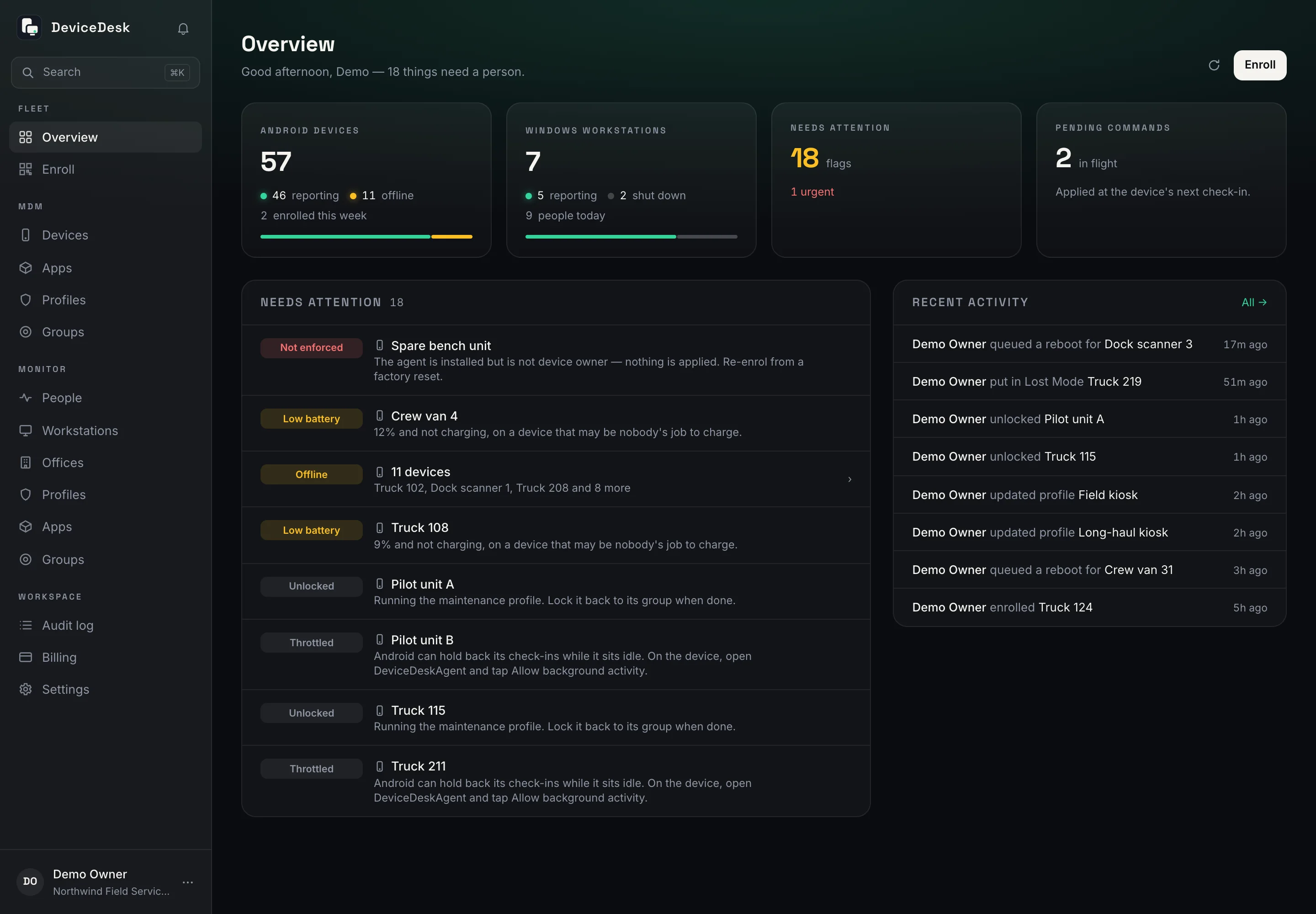
DeviceDesk locks down Android fleets, manages Windows PCs and shows you how work happens on them, from one console with honest telemetry. When a device goes quiet, it tells you what it knows, and what it doesn't.
The platform
Two products.
One console.
Android devices and Windows PCs share one sign-in, one bill and one audit trail, each with its own profiles, groups and apps.
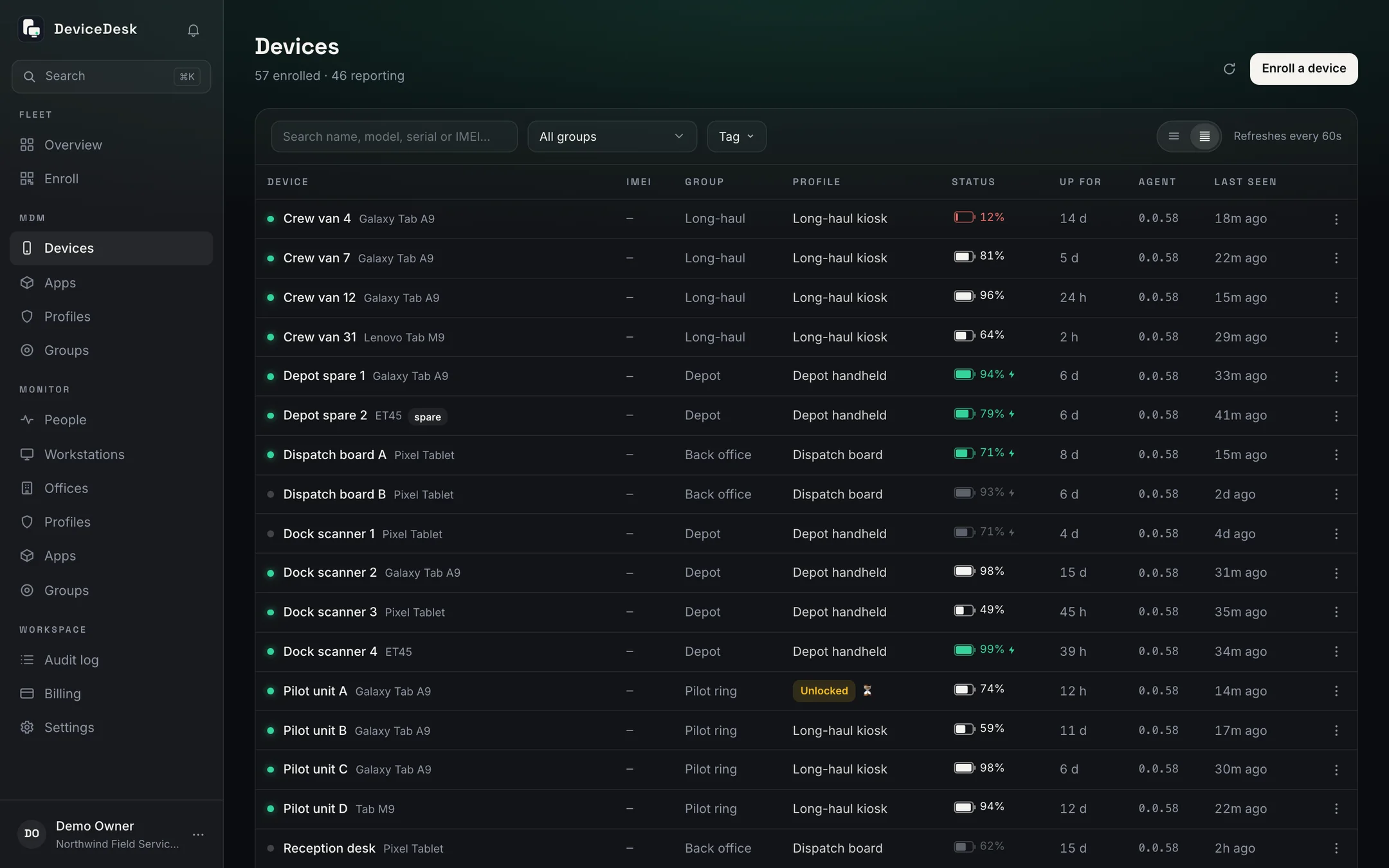
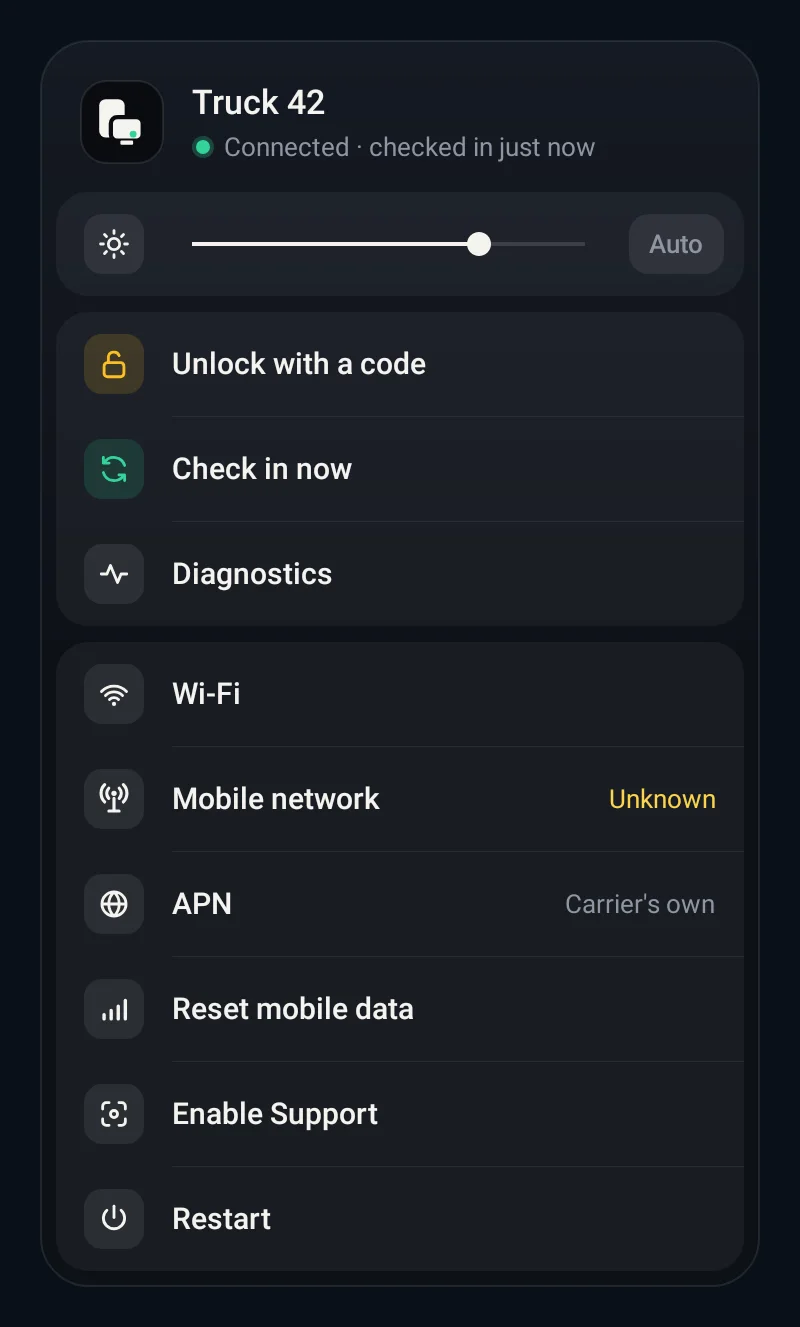
Android device management built for working fleets. Kiosk mode, silent app updates, live location, Lost Mode, remote lock and wipe, on hardware you already own, with no Google EMM registration.
- Enrol a factory-reset device with one QR scan
- Kiosk and managed profiles per group
- Host your own APKs; updates install silently
- Lost Mode, ring, remote lock, reboot and wipe
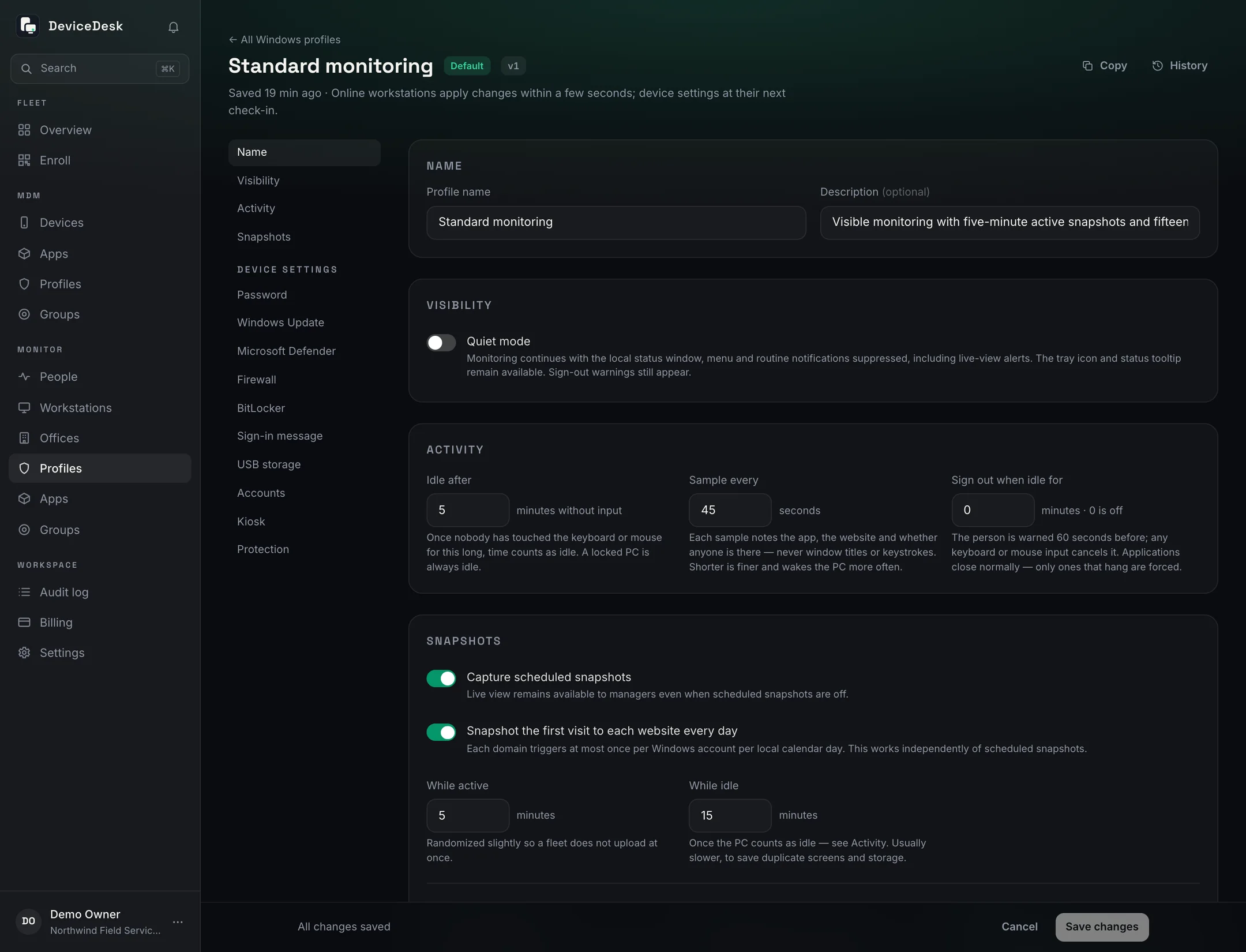
Manage Windows PCs by group: password and update rules, Defender, firewall, BitLocker, accounts, apps, kiosk, wipe and reset, over Windows MDM or the Monitor service. Switch on Monitor for workday insight from an agent that shows itself.
- Settings, apps and BitLocker keys by group
- Enrol with the installer or a Windows MDM code
- Wipe, reset, restart or message a PC from the console
- Workday insight that never logs keystrokes
DeviceDesk MDM
Built for fleets that can't afford surprises
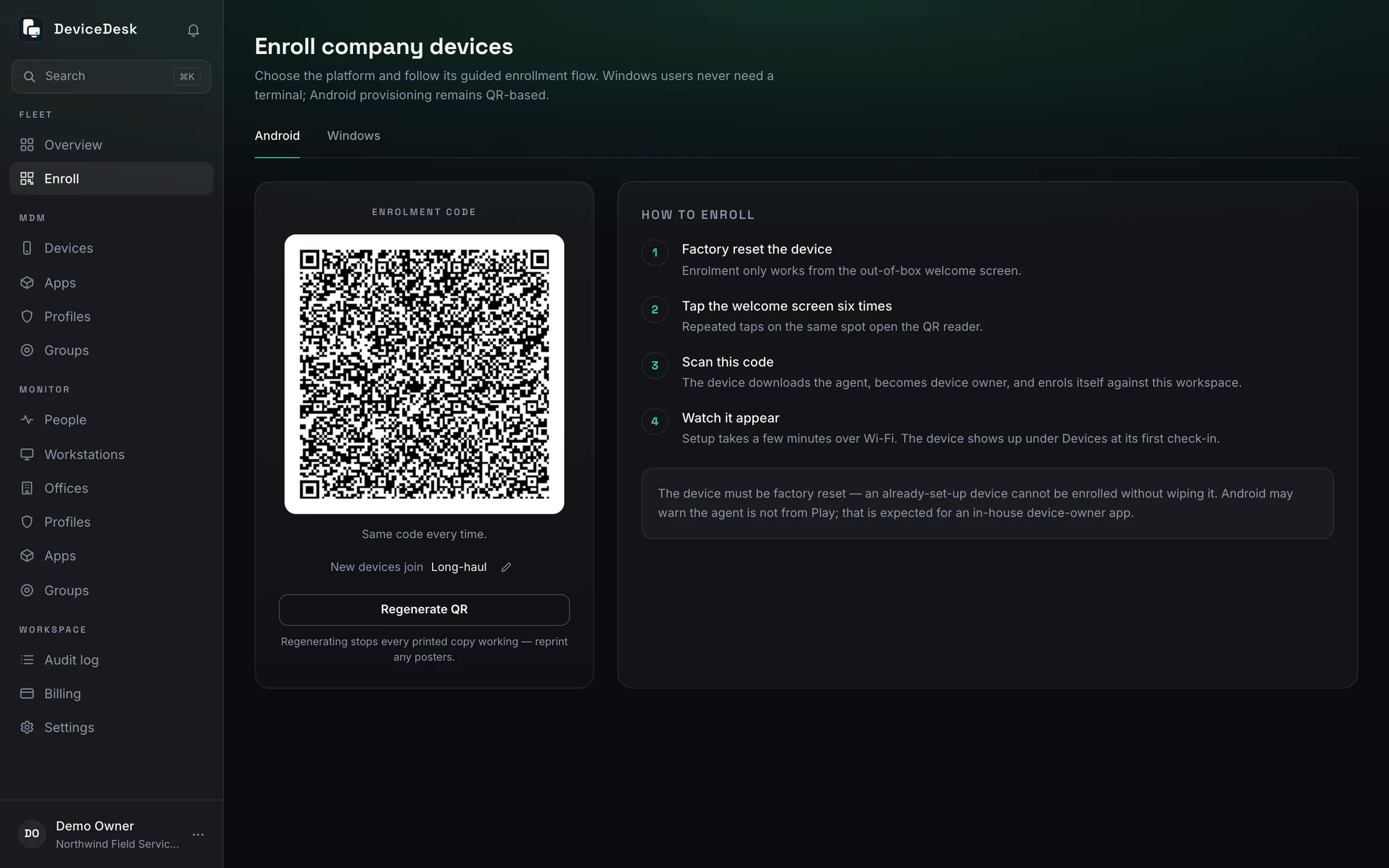
Zero-touch enrolment
Factory reset, tap the welcome screen six times, scan one QR. The device downloads the agent, becomes device owner, and shows up in your console before anyone touches it. The code never expires; print it once.
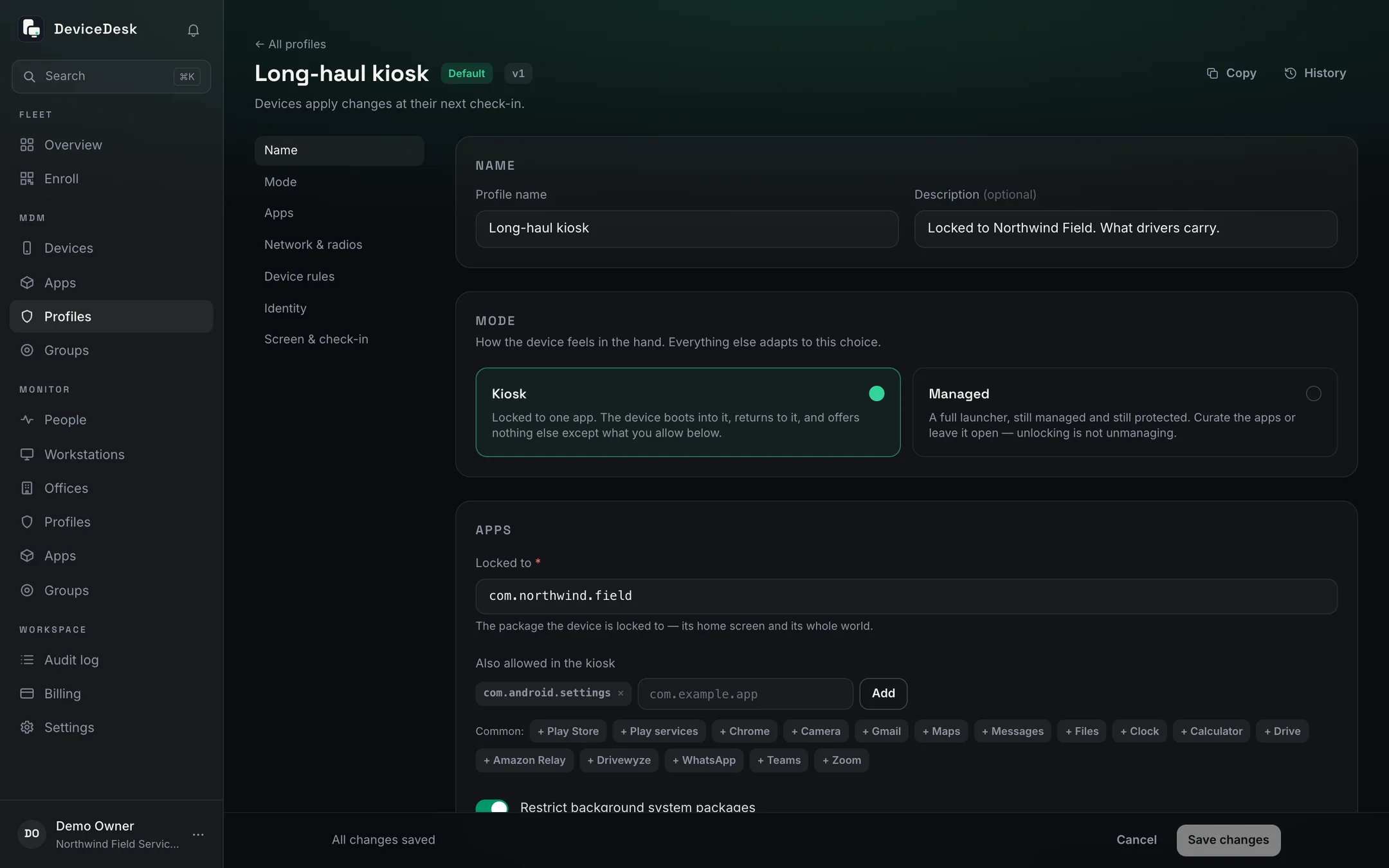
Kiosk & profiles
Lock a device to one app, curate an approved list, or leave it open, per group, with a one-tap maintenance unlock that always finds its way back.
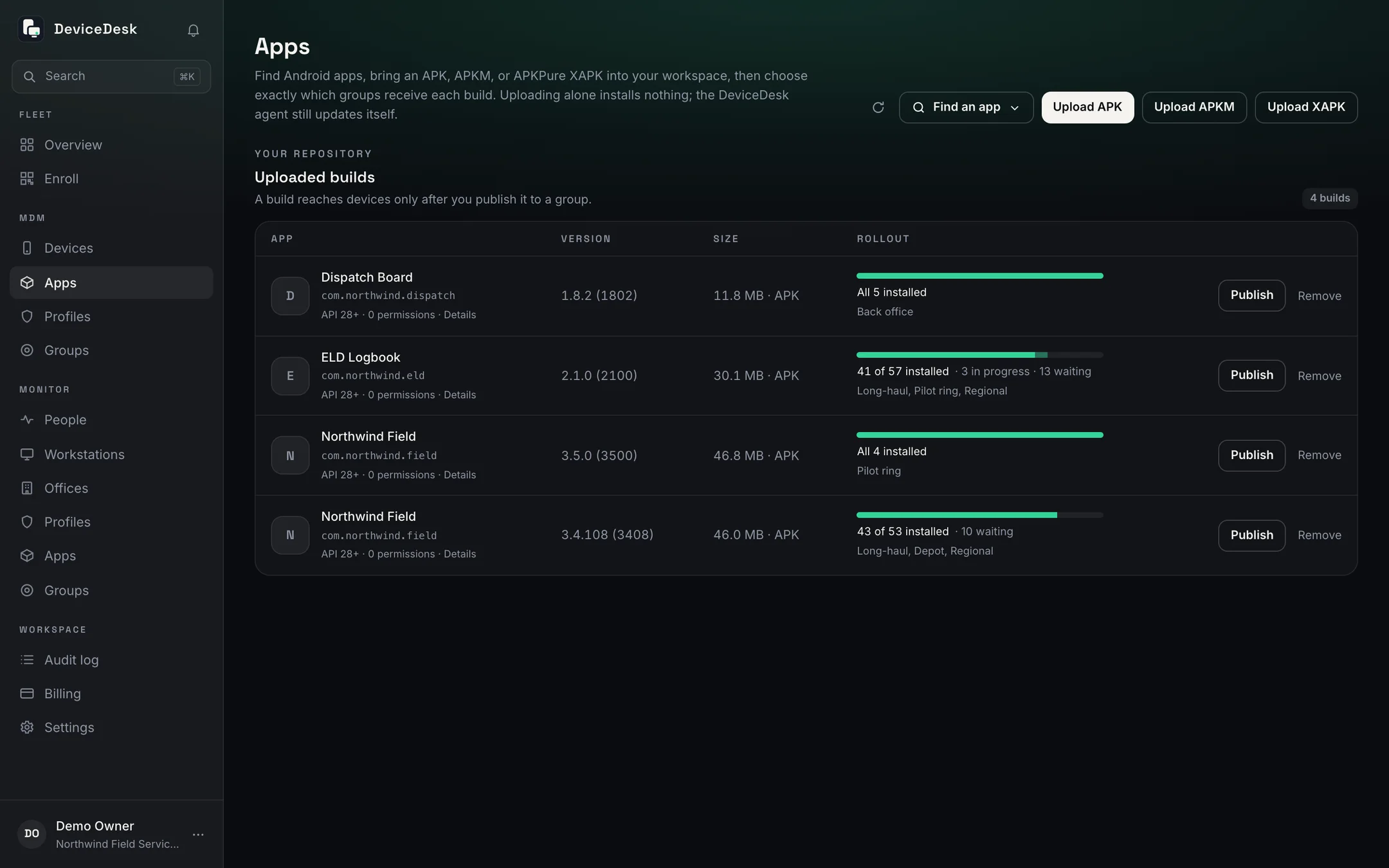
Silent app updates
Upload an APK; the version is read from the file, not a form. Pilot it on a ring, then publish to the fleet. Devices update at check-in with nobody tapping Install.
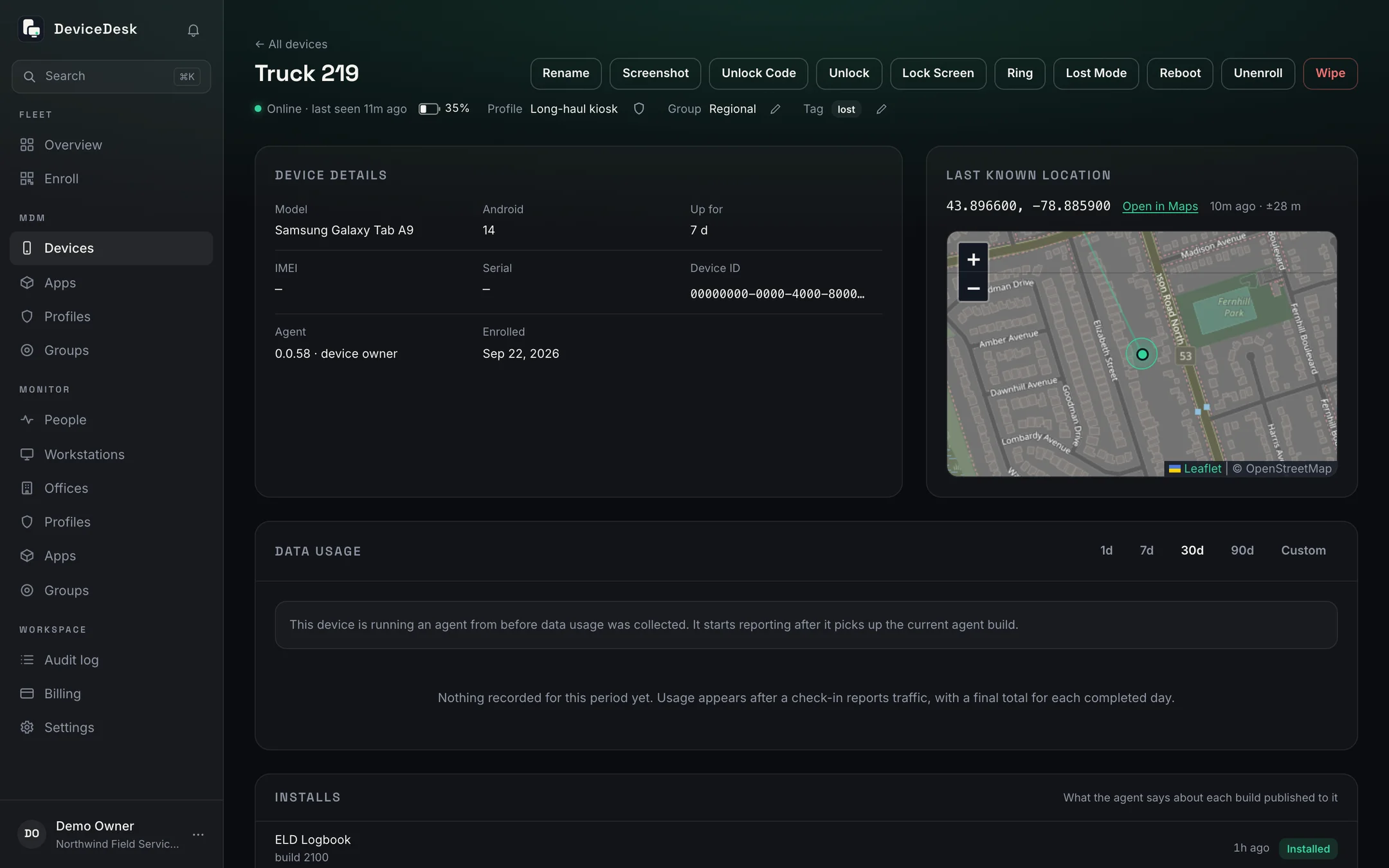
Location & telemetry
Last known position with its accuracy drawn to scale, battery, uptime, apps and agent health, on check-ins that survive Doze, clock changes and force-stops.
Lost Mode & ring
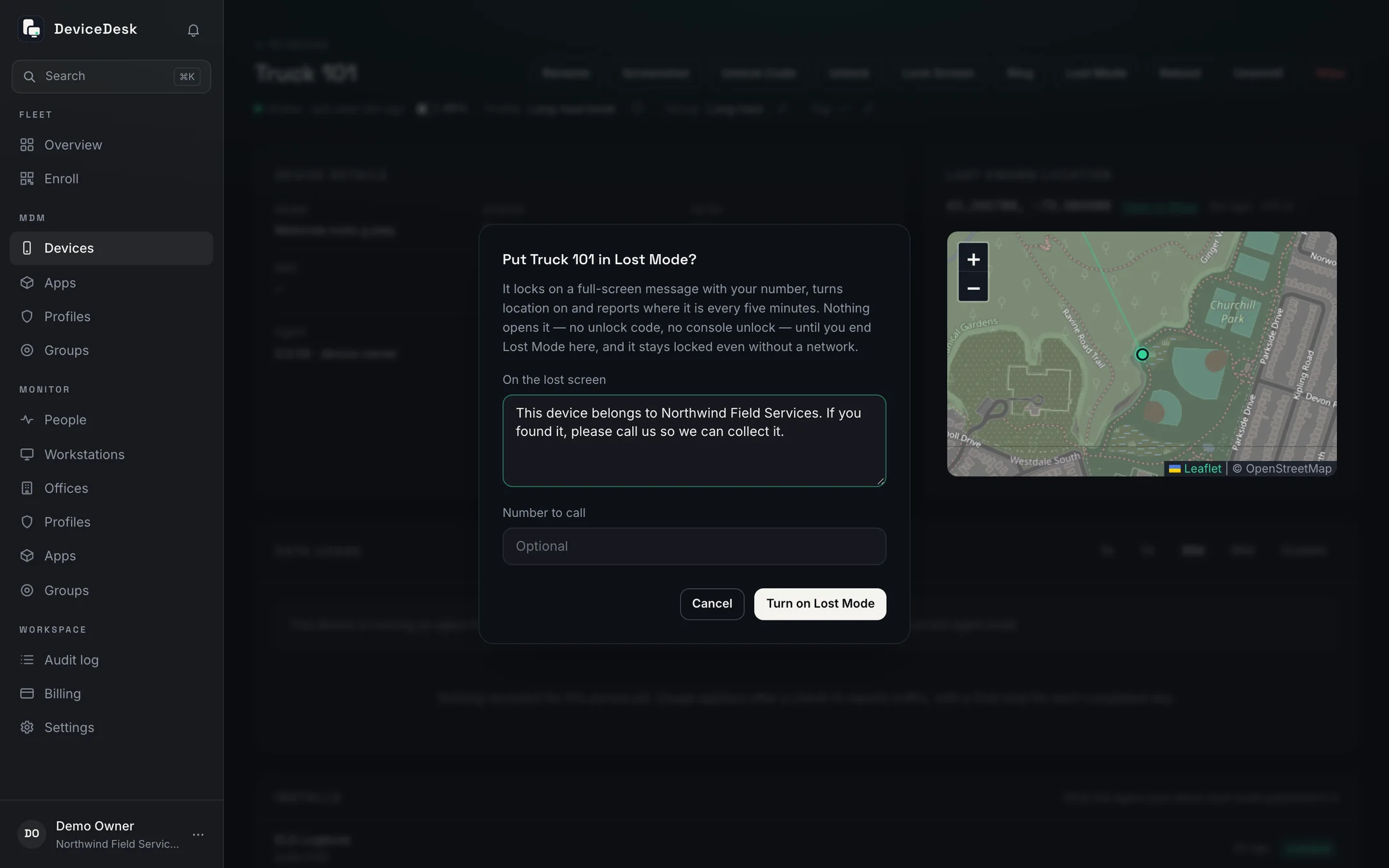
Ring a missing device at full volume, or put it in Lost Mode: your message and a number to call on its screen, its position every five minutes, until you end it from the console.
Radios, clock & camera
Settings the driver can't undo, enforced by the device owner and verified on every check-in.
- Hold Bluetooth, Wi-Fi, data and location on
- Block airplane mode and factory reset
- Enforce network time, so logs line up
- Camera off, except for the seconds a re-enrolment scan takes
Windows MDM + Monitor
Manage the PC.
Understand the day.
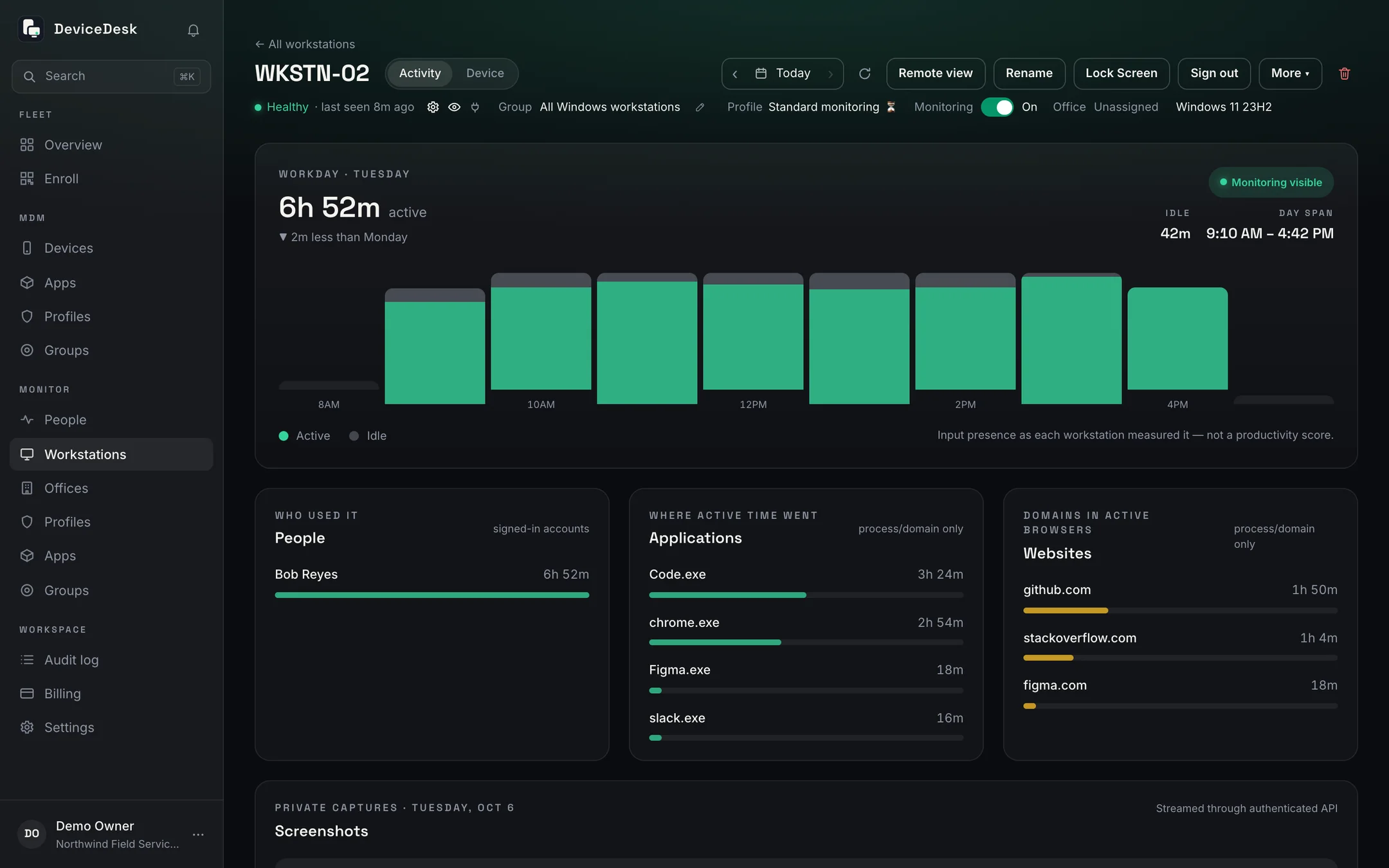
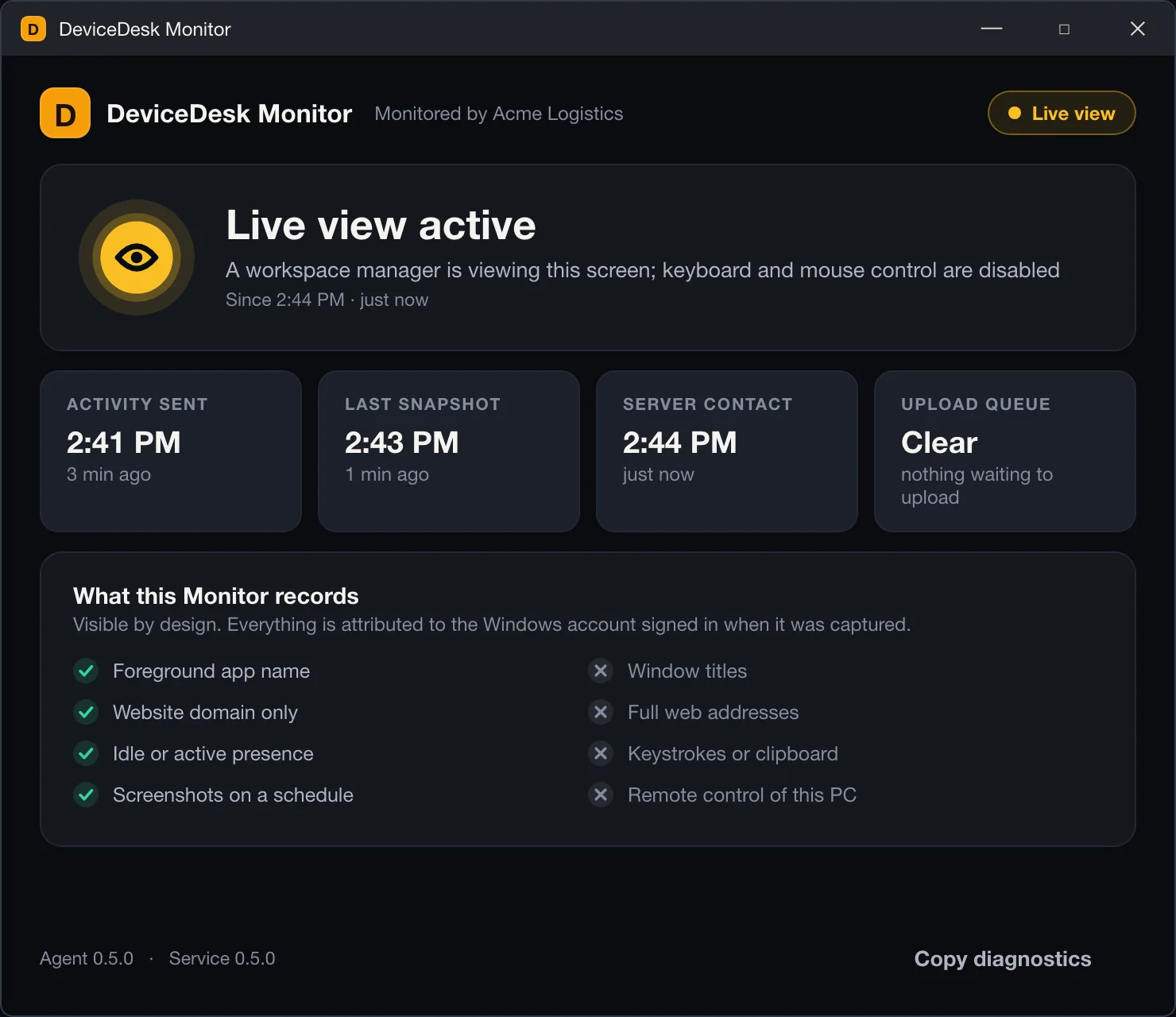
One Windows profile per group carries the device settings and the monitoring rules. Monitor records which app had focus, the website's domain and whether someone was there, never what was typed, and it says so on the PC it runs on.
- Password, Windows Update, Defender, firewall, BitLocker, USB and kiosk rules by group
- Apps, accounts, wipe and reset, with every result reported back per device
- Active and idle time, apps and sites, hour by hour, from a visible agent
In the console
Everything else a fleet asks for
One-time unlock codes
A six-digit code from the console opens a kiosk device for maintenance. It works once, is verified on the device without a network, and the device locks itself back.
SIM alerts
A SIM taken out of a device, or put into one, lands in the console's bell with the slot, the carrier and the ICCID's last digits, even if the device was offline when it happened.
Screenshots, with consent
Ask for a picture of a device's screen from its page. Unless the screenshot service is on, the person holding the device is asked first, and a refusal is recorded as one.
Tags and search
A tag on any device, filters by group and tag, and a search box in the sidebar and on ⌘K that finds devices, workstations, people and profiles.
Policy verification
Every setting in a profile is read back from the device and shown on its page as verified, failed or unverified, so an applied policy is a fact, not a hope.
Data usage by day
Mobile data per device, sealed day by day, so a runaway app or a roaming SIM shows up in the console before it shows up on the bill.
Roles, permissions and an audit log
Owner, administrators, managers and read-only members with named permissions, and an audit log that records who did what, to which device, and when.
A second step on every sign-in
An authenticator or emailed code, or a passkey, on every console sign-in; sessions you can see and end from Settings.
Offices and monitoring hours
Offices with their own time zones and monitoring hours for Windows workstations, with per-workstation overrides when one machine keeps different hours.
Why teams trust it
Built like infrastructure,
not like a dashboard
Device-owner architecture
The agent is Android device owner on your hardware: no Google EMM registration, no managed Play dependency, no per-OEM lock-in.
Honest telemetry
The console distinguishes a device that's offline from one being throttled, and a wipe that ran from one that was refused. It says what it knows, and what it doesn't.
Anti-brick guarantees
Factory reset and safe boot stay blocked under every profile, enforced on both server and device, so a misconfigured console can't strand your fleet.
A second step on every sign-in
Every console sign-in confirms a code from an authenticator or email, or a passkey. Agent credentials are stored hashed, and every change is in the audit log.
Put your fleet on the desk
Seven days free on the full product, then one device free forever. Enrolment is a QR code and an afternoon — no Google EMM registration, no sales call unless you want one.